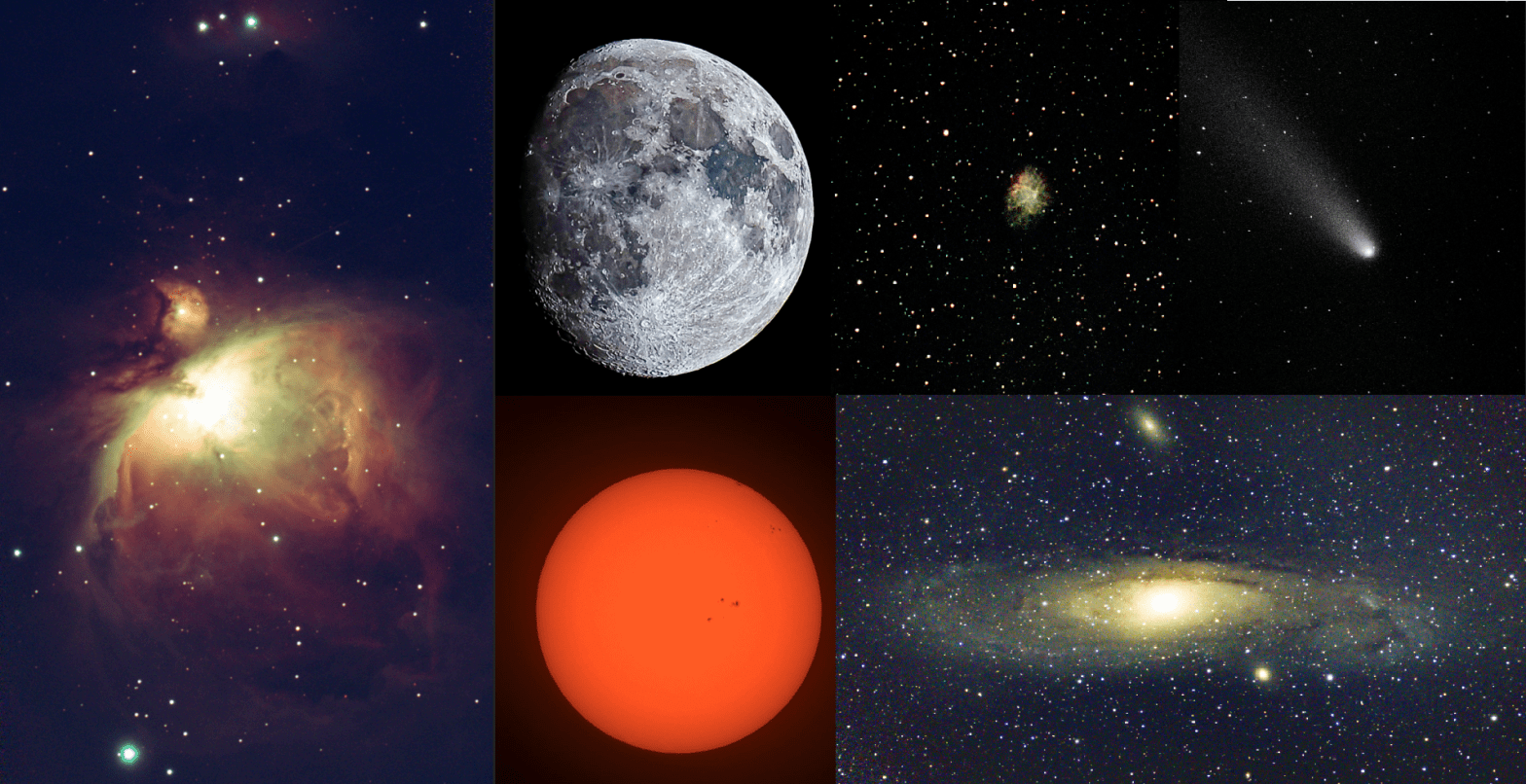
I first bought the Seestar S50 a little over 12 months ago. I ummed and ahhed for ages trying to justify the spend, as although its not a hugely expensive instrument, its not pocket change either.
Eventually at last years New Scientist Live I took the plunge and bought it from First Light Optics. A year later, I’m still amazed at the capability of this deep space observing telescope.

Firstly it is so simple to use. It connects to your smart phone and the interface is pretty intuitive. Seestar constantly improves it with updates pushed fairly regularly. I’ve read that some users have experienced issues with certain updates. However, I’ve never experienced this first hand.
Secondly, its really portable. It all fits into a small roughly 30 cm square carry case – which is really handy.

The S50 is fantastic for observing and photographing galaxies and nebulae far beyond the edge of our own Milky Way Galaxy. It’s also excellent for capturing comets, the Moon, and the Sun. I’ve even managed to get a recognisable shot of Jupiter out of it. You know, that bright ‘star’ in the winter skies that is now high in the morning skies indicating that Christmas is not that far away.
Sorry for reminding you…
I recently shared some photographs on my social media. They showed the results that this little telescope is capable of. One of the things I find fascinating is watching the telescope build up the picture as it takes the photos. It live stacks them, slowly revealing more and more details of whatever object you are focused on. I also love the tracking. It will locate things that are often very difficult to find in light polluted skies.
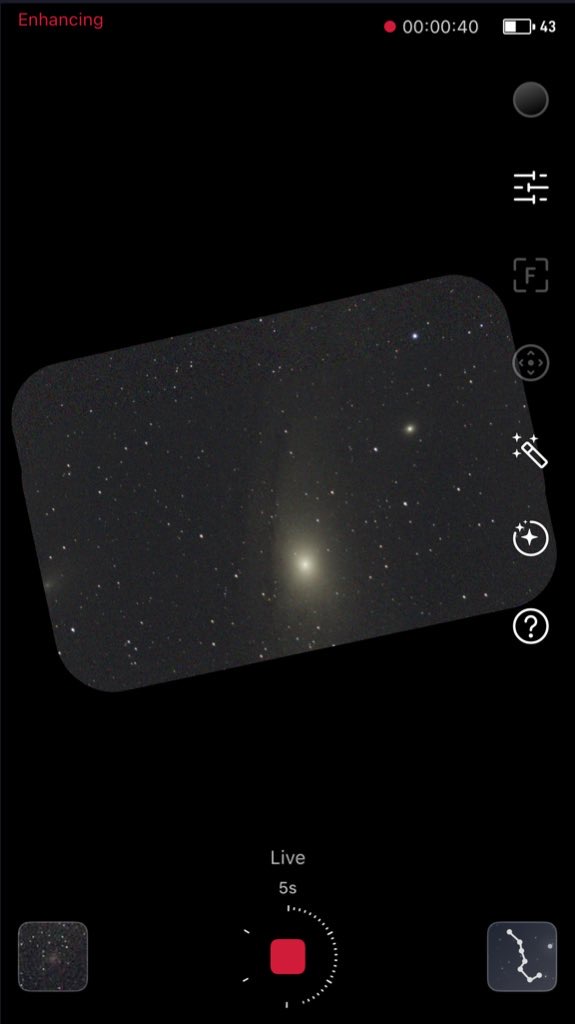
The next step for me will be to get an equatorial mount and try the recently released equatorial mode. This will allow longer exposures without star trails. It should also increase the quality of the images I can take.
Although the scope does a lot of the hard work in getting to an early image, you can still improve upon that with some post processing. I have been using Adobe Lightroom for that. Its pretty easy to use, there is a free version of it and it works on your phone too. Although my initial idea was just to use the scope for capturing some nice images of the universe to look at, share, and print – several of mine are on the wall in my office. I’m keen on exploring its use to do some photometry. The scope stores images in the standard FITS format. With the addition of a blue light filter and an EQ mount for longer exposures, I should be able to get images in both Blue and Visible light. Then, I can process them to create a Colour Magnitude Diagram (CMD).
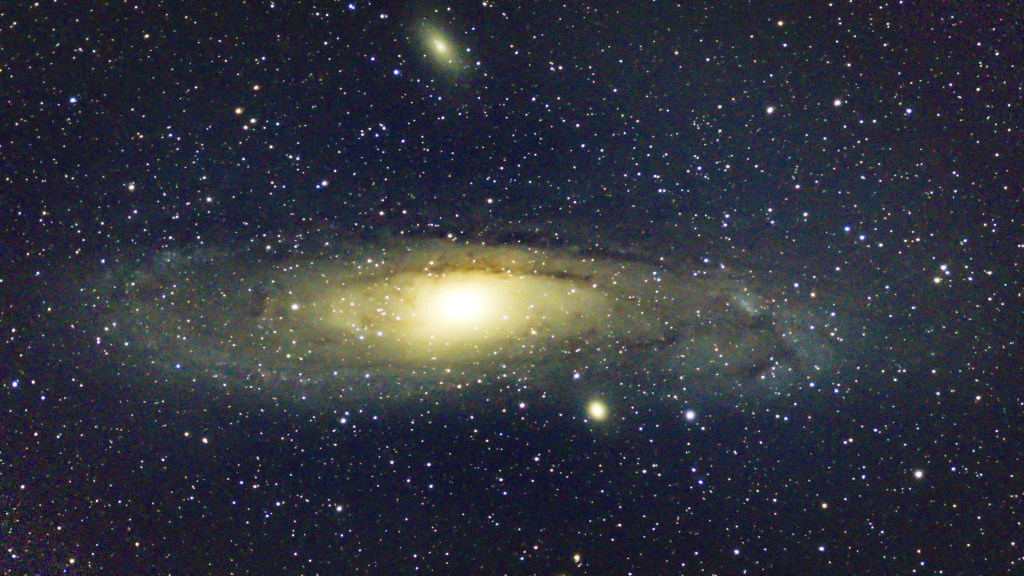
However, for now, I’ll continue to take images of some of the stunning sights our universe has to offer. I love sharing these images and have huge admiration for the astrophotographers who have developed the skills to do this. Skills that I do not have the time or patience to acquire at the moment. Some of the images they take are orders of magnitude better than anything the Seestar can take. But, for ease of use and fun, the Seestar is unmatched. For seeing things you never thought you’d see ‘live,’ it is exceptional. For sharing snapshots on social media, there is no better instrument geared towards amateurs.
I’m a huge convert and have loved having this tool in my kitbag to use alongside my optical telescope.
 Dan Roach Flying Author